












Ticket event-based automations
Set rules that trigger on ticket creation, updates, resolution, or rating.
Service field conditions
Apply automations based on criteria such as category, customer, and ticket status.
Automated actions like email and webhooks
Automate communications and integrated triggers at the right moment in the process.
TICKET EVENT-BASED AUTOMATIONS
Automation works best when it happens at the right moment. That’s why Milvus lets you configure rules based on ticket events—like creation, updates, resolution, and rating. This standardizes what happens at each stage of service and reduces reliance on repetitive manual actions.
In practice, you let the process run on its own at critical points in the cycle:
SERVICE FIELD CONDITIONS
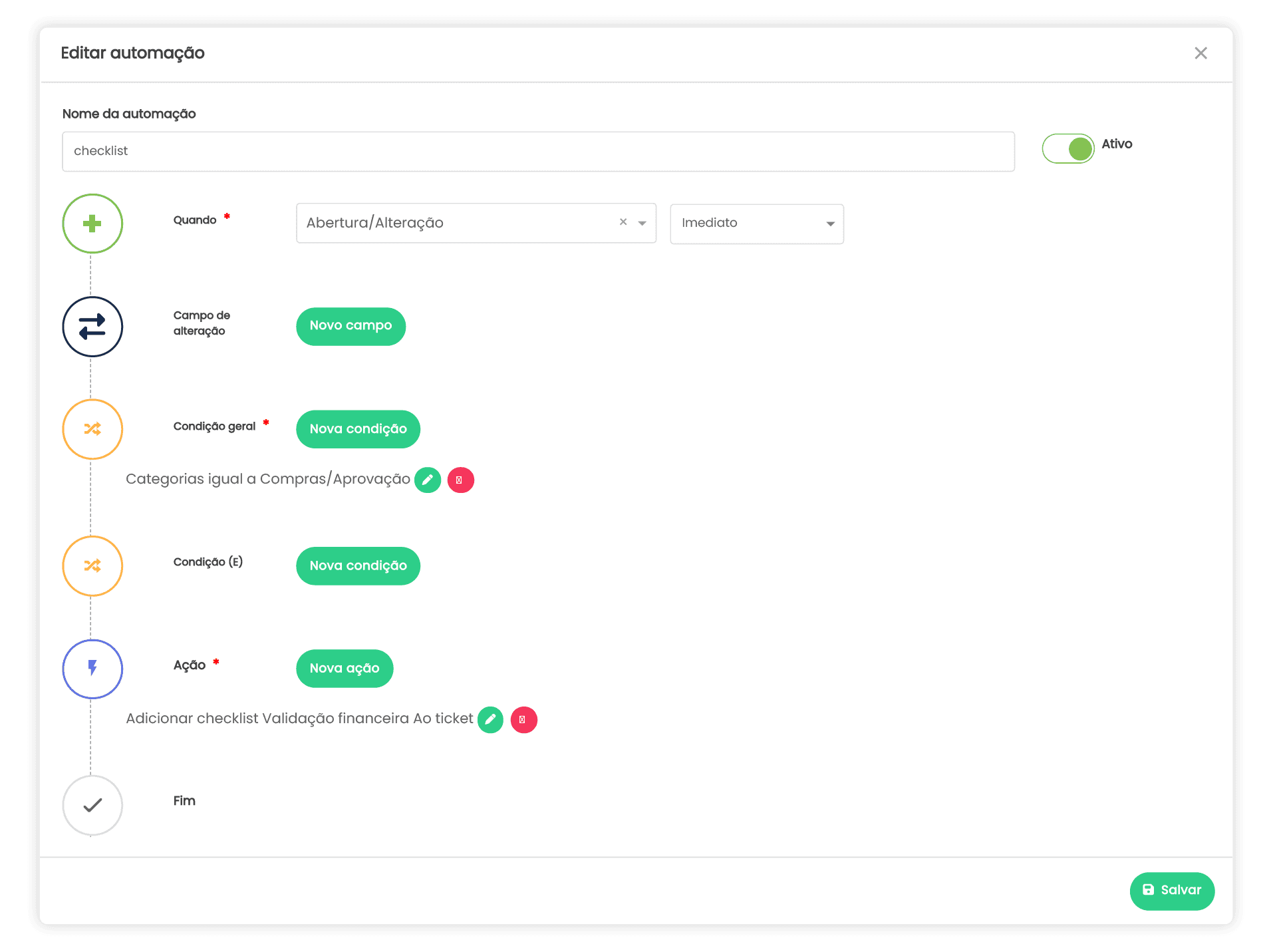
The difference between “automation that helps” and “automation that gets in the way” is a well-defined condition. In Milvus, you set rules using service fields so each automation runs only in the right scenario—for example, when the category is specific, when the customer matches, or when the ticket status is one or another.
This lets you build targeted automations and keep operations organized—even with multiple demand types happening at once. You gain clarity and control: every rule has a purpose, a context, and an expected outcome.
AUTOMATED ACTIONS LIKE EMAIL AND WEBHOOKS
Automation isn’t just about organizing—it’s about executing. In Milvus, beyond deciding when and under which conditions a rule runs, you can automate actions that make a real difference day to day, such as email sends and webhook triggers.
This reduces manual work and makes service more consistent, because repetitive actions no longer depend on someone remembering to do them. You set the rule once, and automation applies it whenever the scenario happens.

SIMPLE AUTOMATION MANAGEMENT
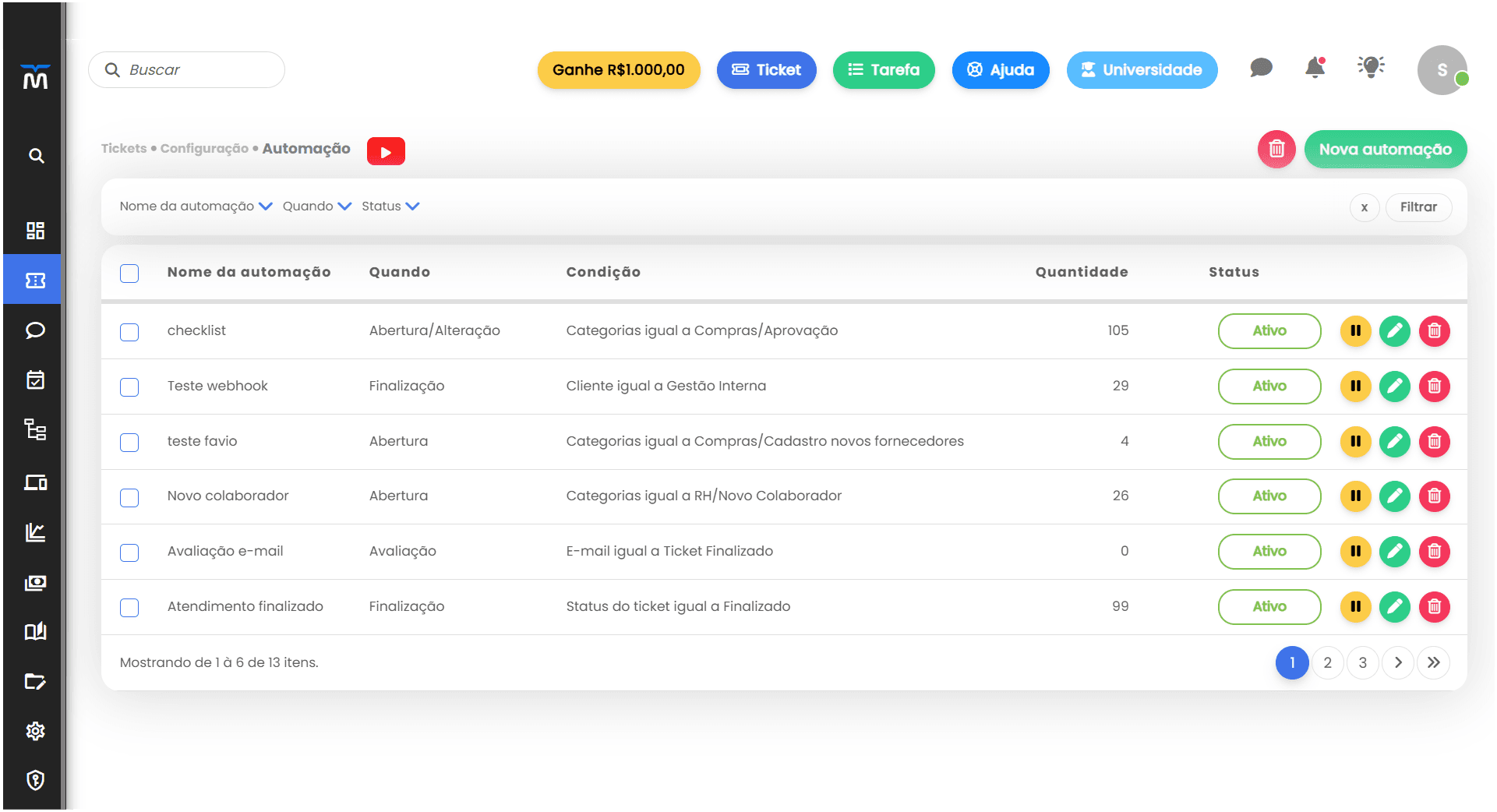
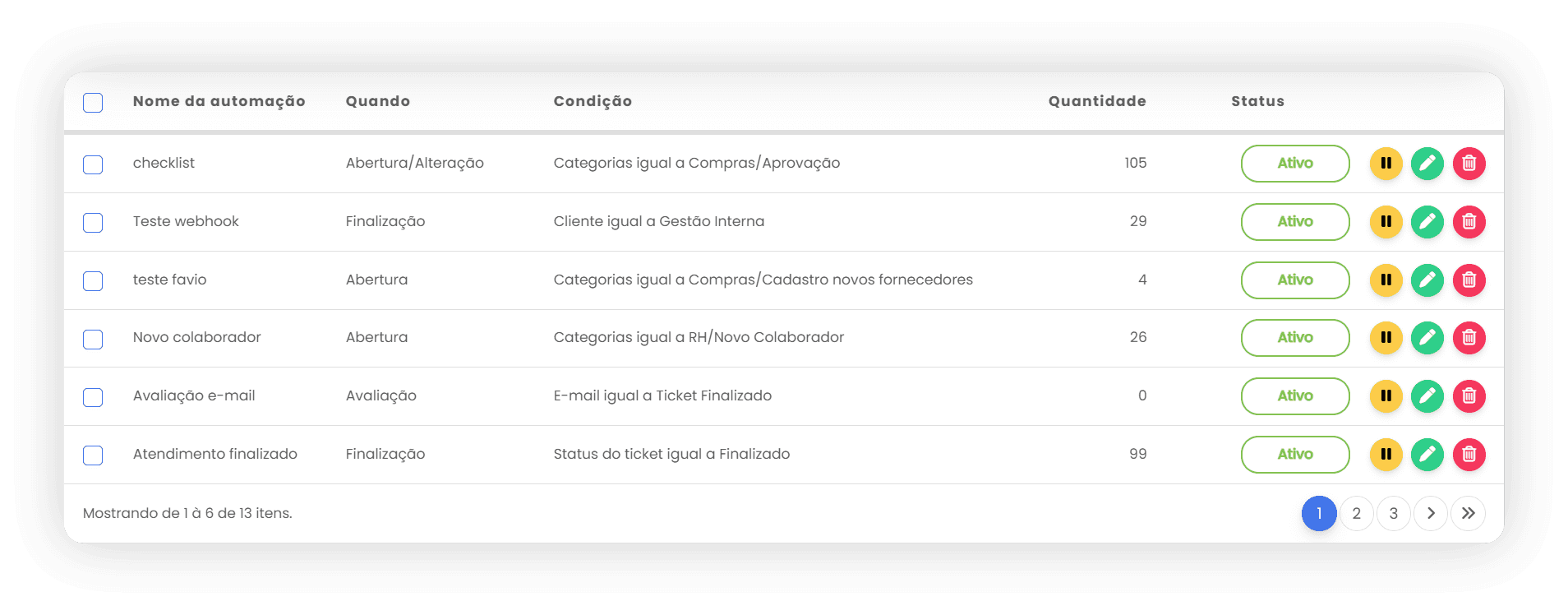
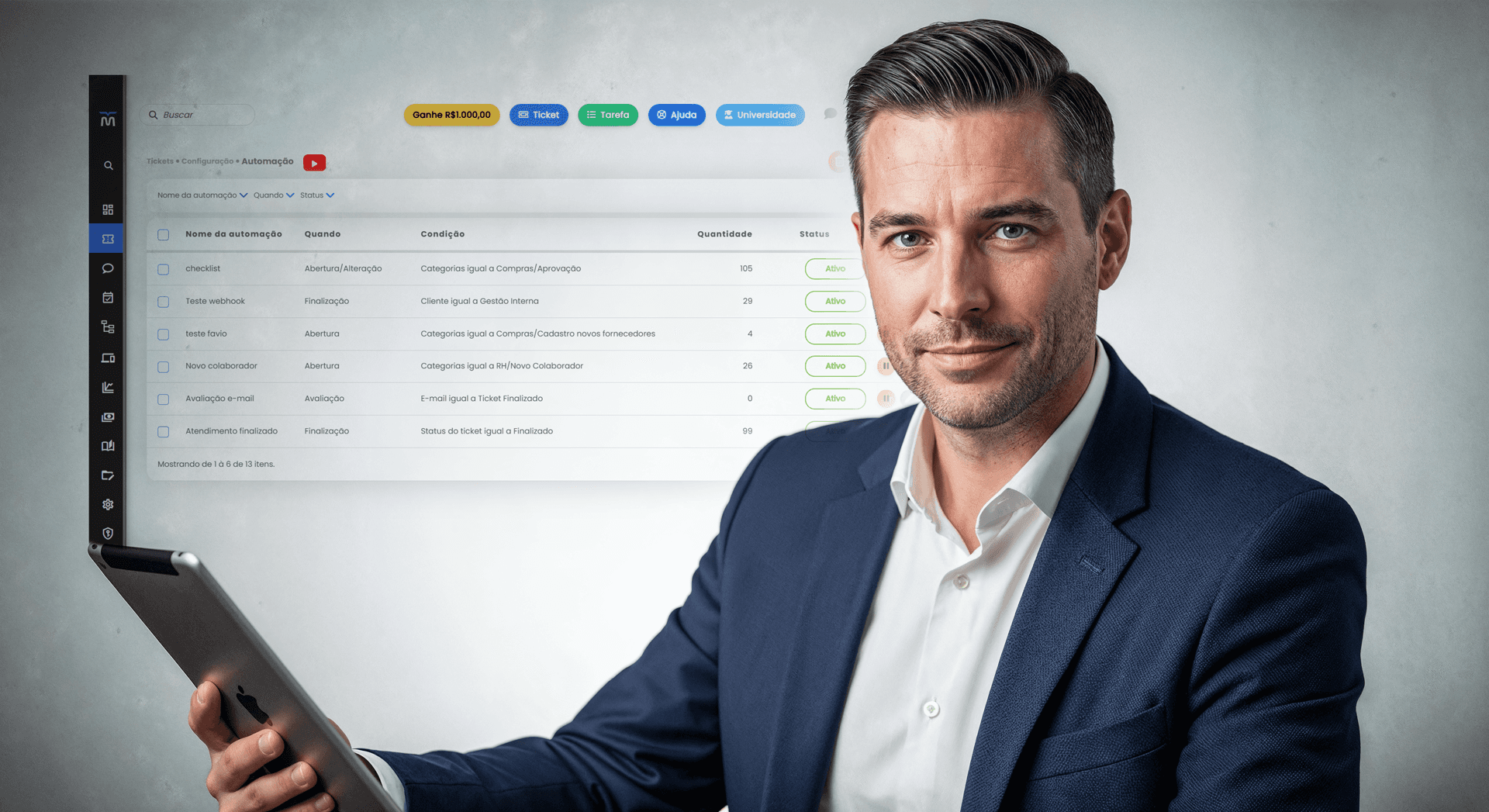
An automation system needs to be easy to manage—especially as you start creating multiple rules for multiple scenarios. That’s why Milvus provides a central view with an “active” status, pause control, and quick edit/delete actions.
You can also filter to find what you need without wasting time—by name, trigger moment, and status. This makes maintenance much lighter and prevents automations from running “forgotten” without a purpose.
INVENTORY ALERT AUTOMATIONS
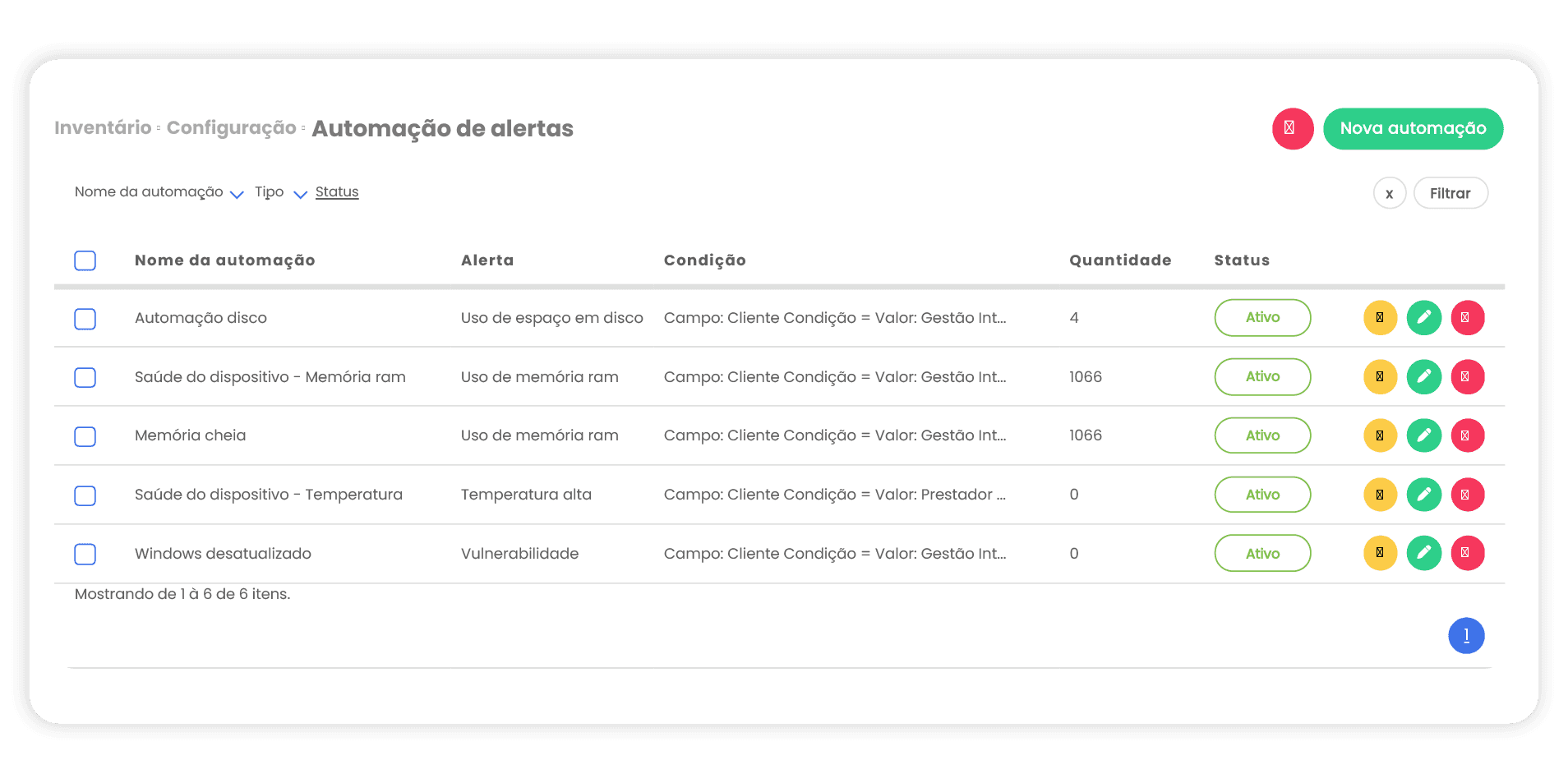
Beyond ticket automations, Milvus also offers alert automations in the Inventory module. This is what takes operations to a more proactive level: you set alerts and rules for situations that need attention before they become problems.
Examples of available alerts include:
Disk space usage
RAM usage
High temperature
Vulnerability
Outdated Windows
By automating actions by event and by condition, you reduce manual effort, increase service consistency, and gain predictability—using inventory alerts to act before small risks become incidents.
With Milvus, you:
Improve efficiency: Automations reduce manual effort and speed up repetitive support routines.

Increase consistency: Rules applied the same way every time make service more standardized.

Reduce rework: Fewer missed steps, less back-and-forth, and fewer fixes later.
Gain operational predictability: With well-defined events and conditions, the team knows what happens in each scenario.
Become more proactive with Inventory: Automated alerts help you act before a risk turns into an incident.
Create a new automation and name it
Choose when it triggers (creation, update, resolution, or rating)
Set conditions based on fields (such as category, customer, and ticket status)
Enable, pause, edit, delete, and organize automations with filters
Track execution counts to understand usage and impact
Set up inventory alert automations (disk, RAM, temperature, vulnerability, and outdated Windows)
More standardization, less rework, and a much more predictable operation.
