


Monitor 110+ KPIs in real time, pinpoint bottlenecks with precision, and upgrade your support operation with data-driven intelligence
Request a free,
no-obligation meeting











Operations Overview
Monitor real-time KPIs and make decisions before support slows down.
Agent Status
See who’s online/offline and adjust staffing fast.
Live Chat Dashboard
Track every stage of service and spot bottlenecks instantly.
Ticket Center
Get full control of ticket flow and see where volume and slowdowns build up.
SLA Management
Monitor SLAs clearly, identify risks, and keep operations predictable.
Workbenches
See how tickets are distributed across teams and balance workload.
Service Flows
Visualize how tickets move across stages and find stop points or delays.
Inventory
Manage vulnerabilities, assets, and technical risk with visibility and prioritization.
Operations Overview
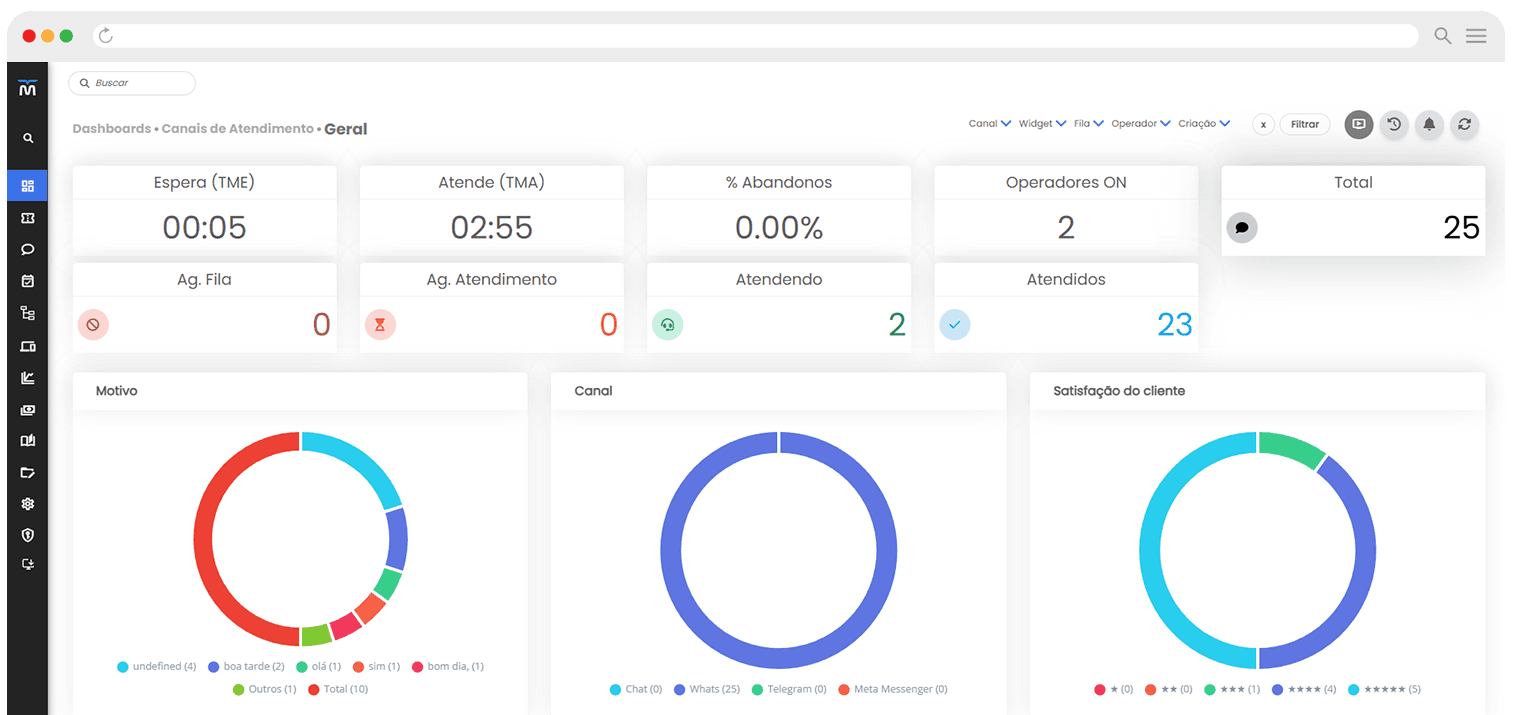
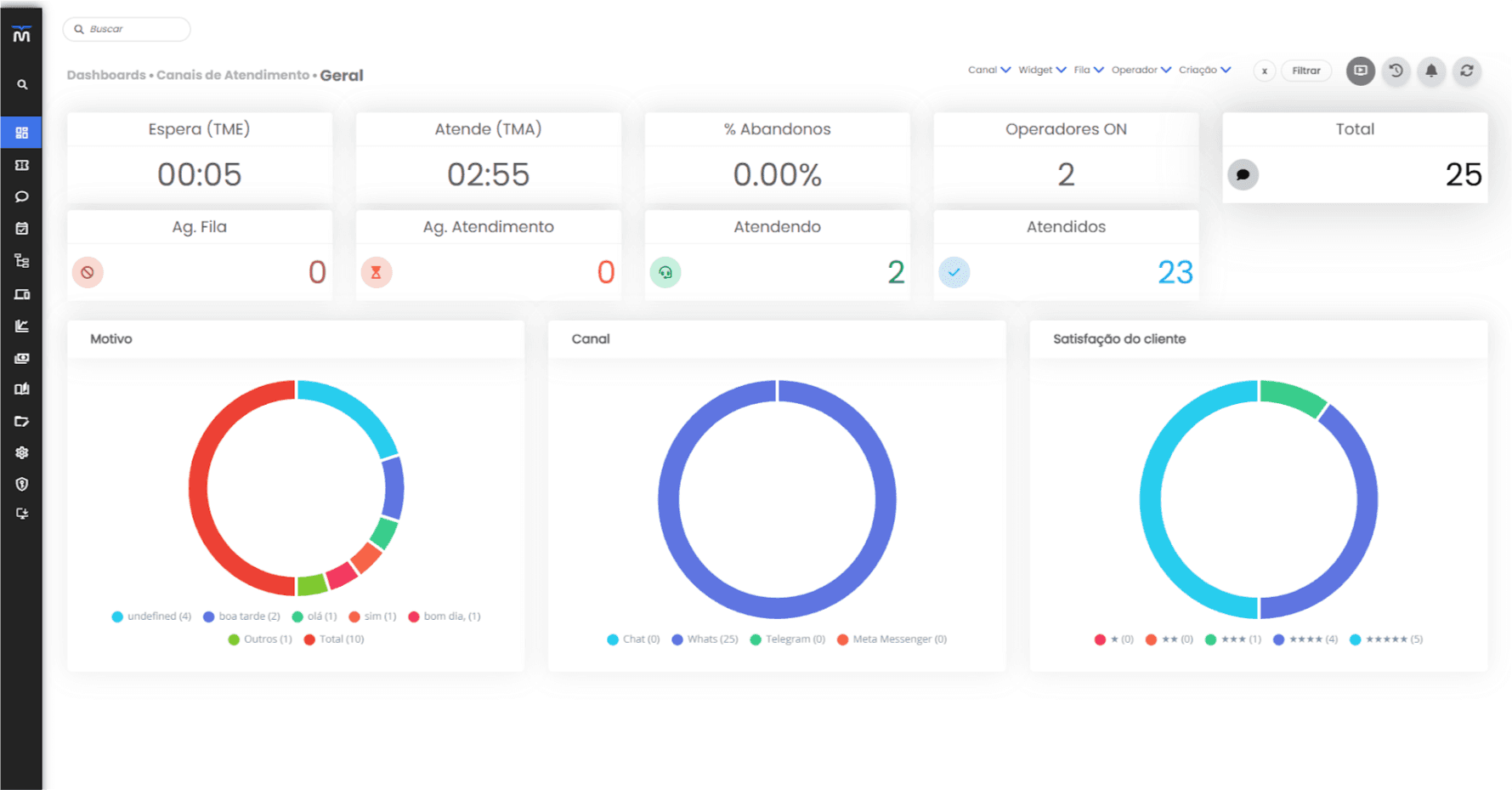
Turn support data into faster decisions. Milvus dashboards show real-time metrics like FRT (first response time), AHT (average handle time), abandonment rate, team capacity, and ticket/chat volume—so you can act before queues become a problem.
With filters by channel, queue, and agent, you can cross-check data and pinpoint bottlenecks with precision. Breakdowns by reason, channel, and customer satisfaction help you spot trends, refine processes, and continuously improve quality based on real data.
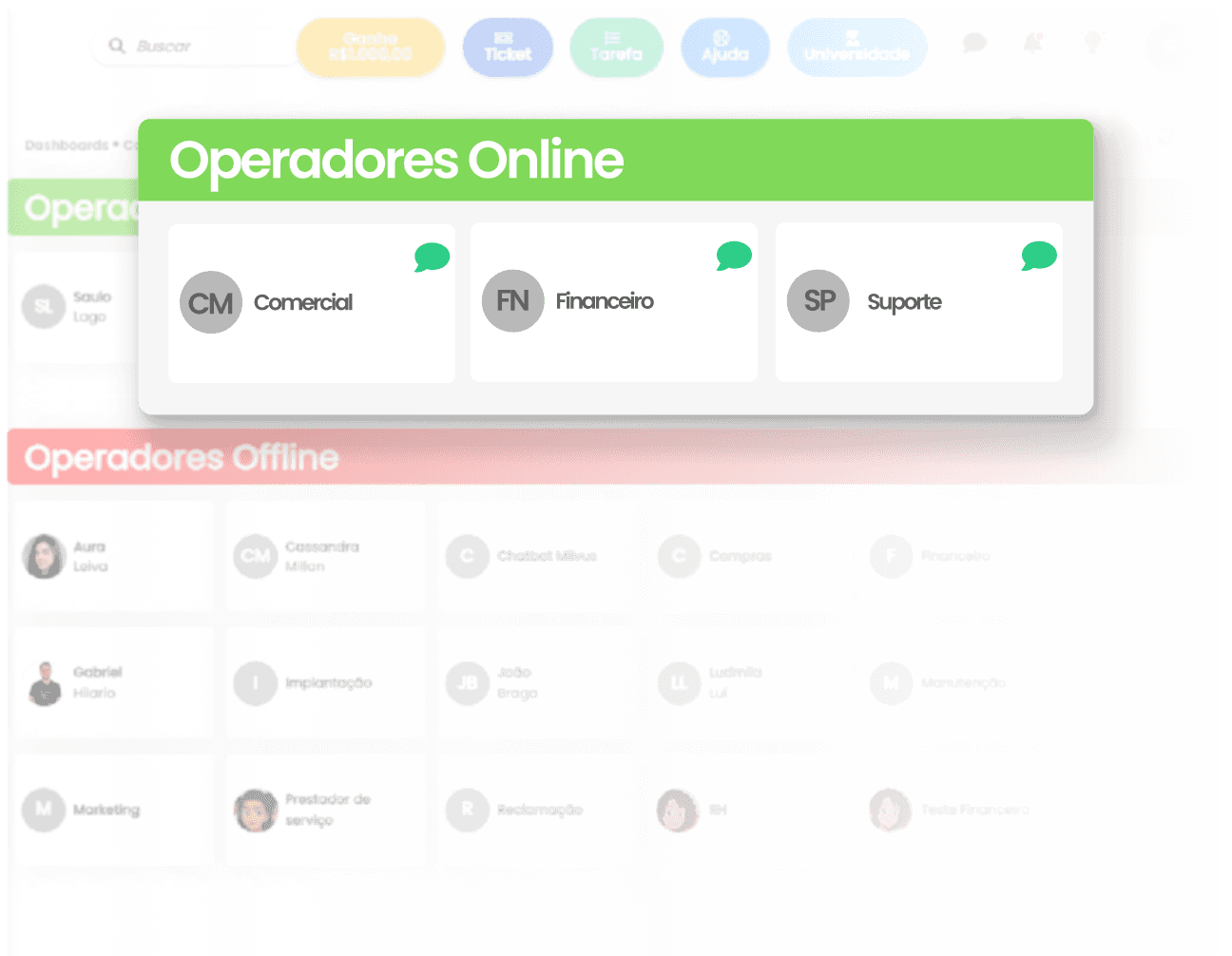
Agent Status
Get instant visibility into team availability. In Agent Status, Milvus shows how many agents are online vs. offline—making it easy to manage coverage and monitor operations in real time.
You can quickly identify coverage gaps and attendance fluctuations throughout the day. That makes it easier to adjust shifts, reinforce peak hours, and keep service running smoothly—no surprises.

Live Chat Dashboard
Understand demand
See conversation volume at each stage: waiting in queue, waiting for an agent, in progress, and completed today. That gives you a clear picture of workload and team capacity.
Smart filters for precise action
Filter by channel, queue, agent, and ticket/protocol to find bottlenecks fast. See exactly where the flow is getting stuck—and act on data, not assumptions.
Context to prioritize with clarity
Beyond KPIs, the dashboard shows a detailed list of active conversations, providing immediate context. That helps you prioritize cases and keep chat fast, organized, and under control.
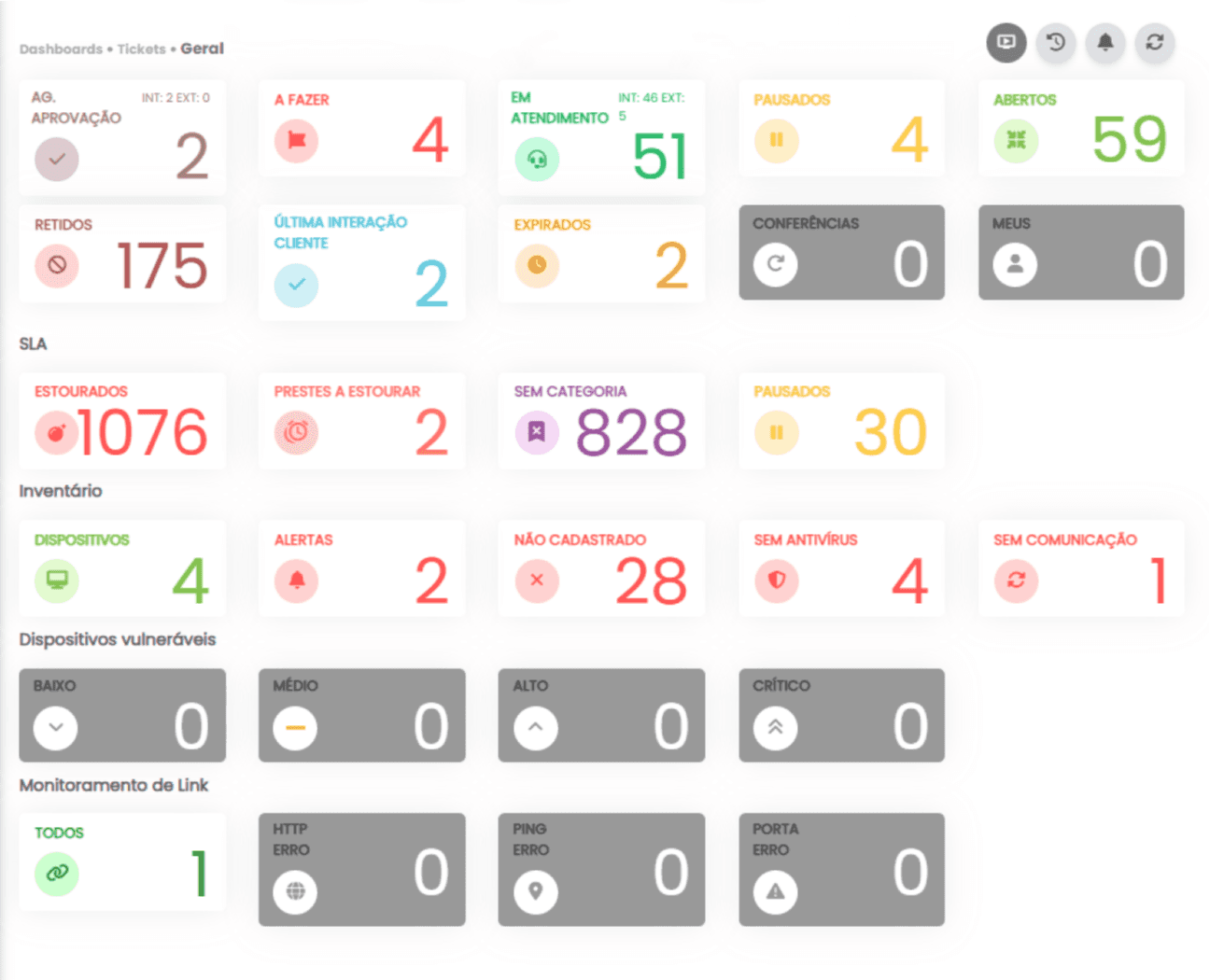
Ticket Center
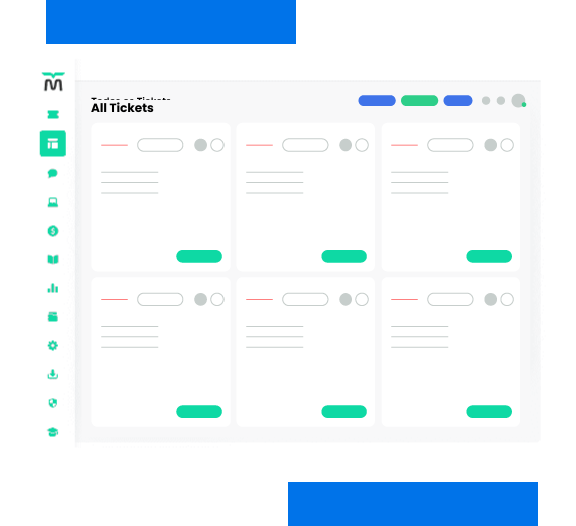
Get a complete view of your ticket flow in one dashboard. Milvus consolidates key operational statuses (pending approval, to do, in progress, paused, open, held, expired, conferences, and my tickets) so you can quickly see where volume is—and what’s blocking progress.
With filters by customer, priority, workbench/team, and agent, you can segment the view and pinpoint bottlenecks. The SLA view highlights overdue and at-risk tickets, while the monitoring block flags technical incidents (like HTTP, ping, and port errors) that can directly impact support delivery.
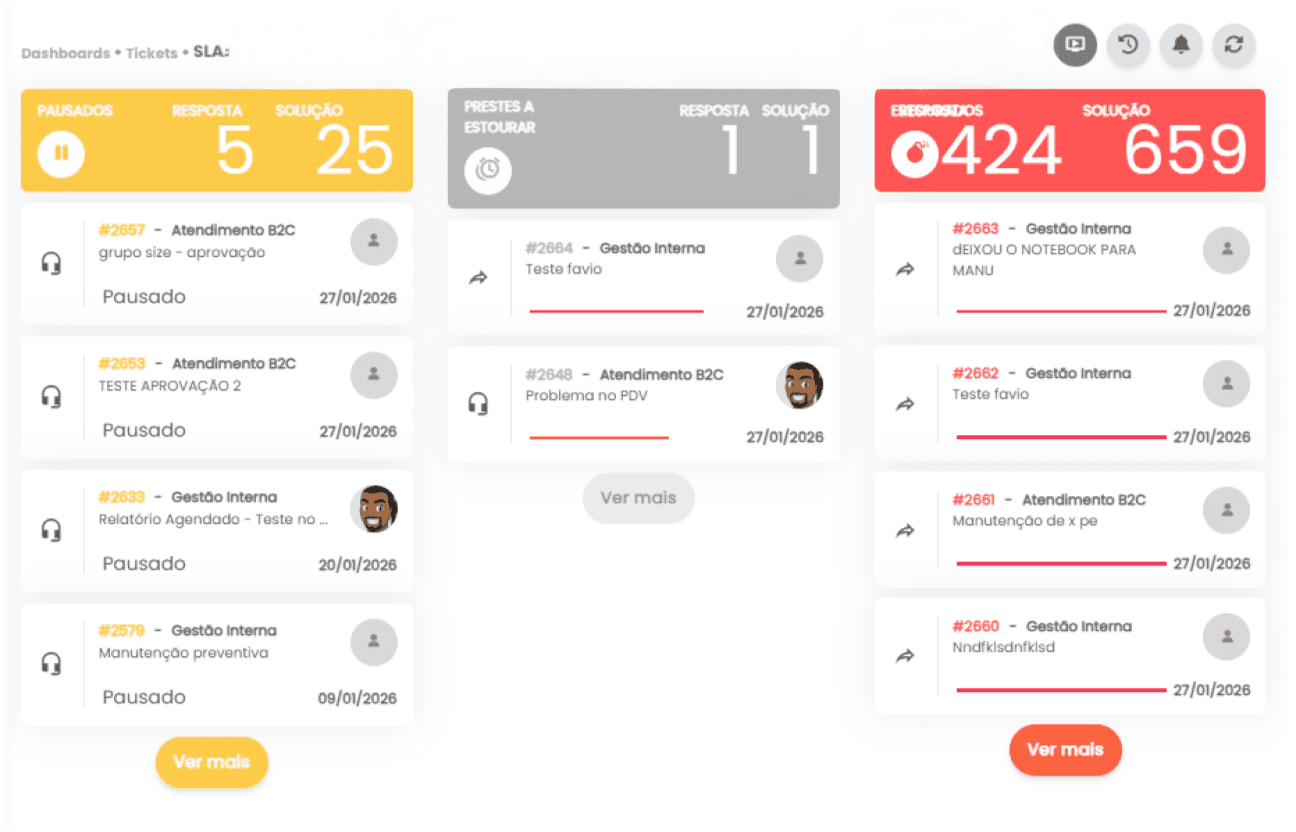
SLA Management
Milvus gives you full visibility into SLA performance—separating response and resolution targets. You can quickly see what’s paused, what’s at risk, and what’s already overdue, preventing operational surprises. That enables the team to act proactively and protect service levels.
With filters by customer, priority, filter type, workbenches/teams, and agent, analysis becomes precise and actionable. You can identify which queues or profiles concentrate risk and adjust priority, staffing, and distribution based on data. The result: more predictability, fewer SLA breaches, and a better customer experience
Companies using Milvus report up to a 40% reduction in SLA breaches within 30 days.
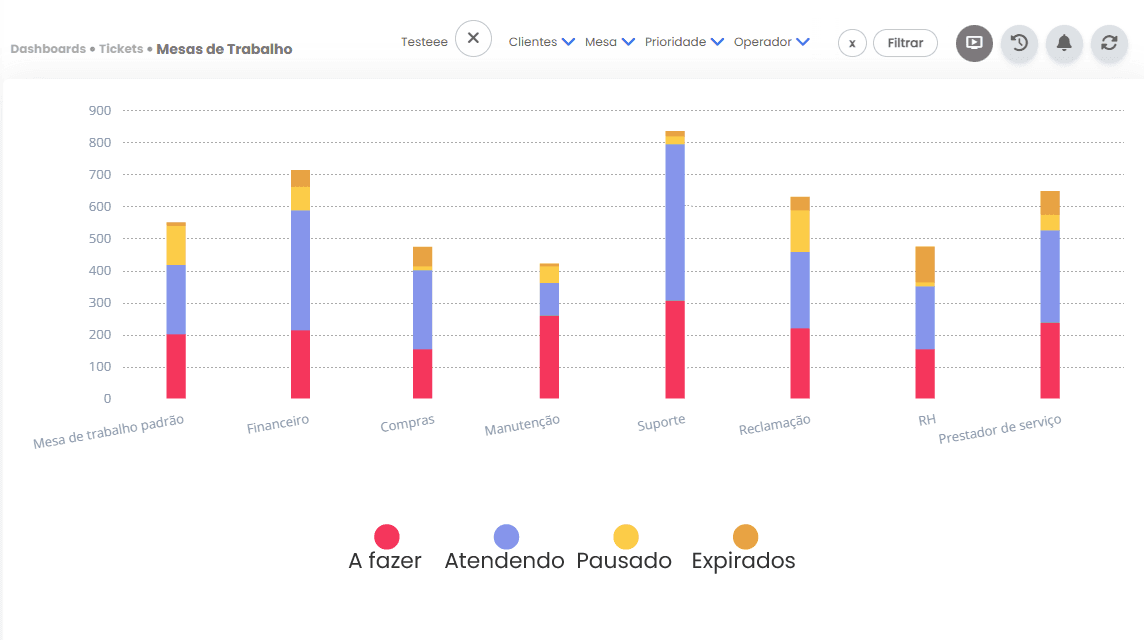
Workbenches
Milvus shows how tickets are distributed across your workbenches, making workload and trends clear. You can view, by workbench, how many tickets are to do, in progress, paused, and expired—making it easy to understand the situation by area. That helps you spot imbalances and bottlenecks before they turn into delays.
With filters by customer, workbench, priority, and agent, you can dig deeper and pinpoint root causes. Compare workbenches, see where volume accumulates, and adjust distribution, staffing, or process objectively.
Service Flows
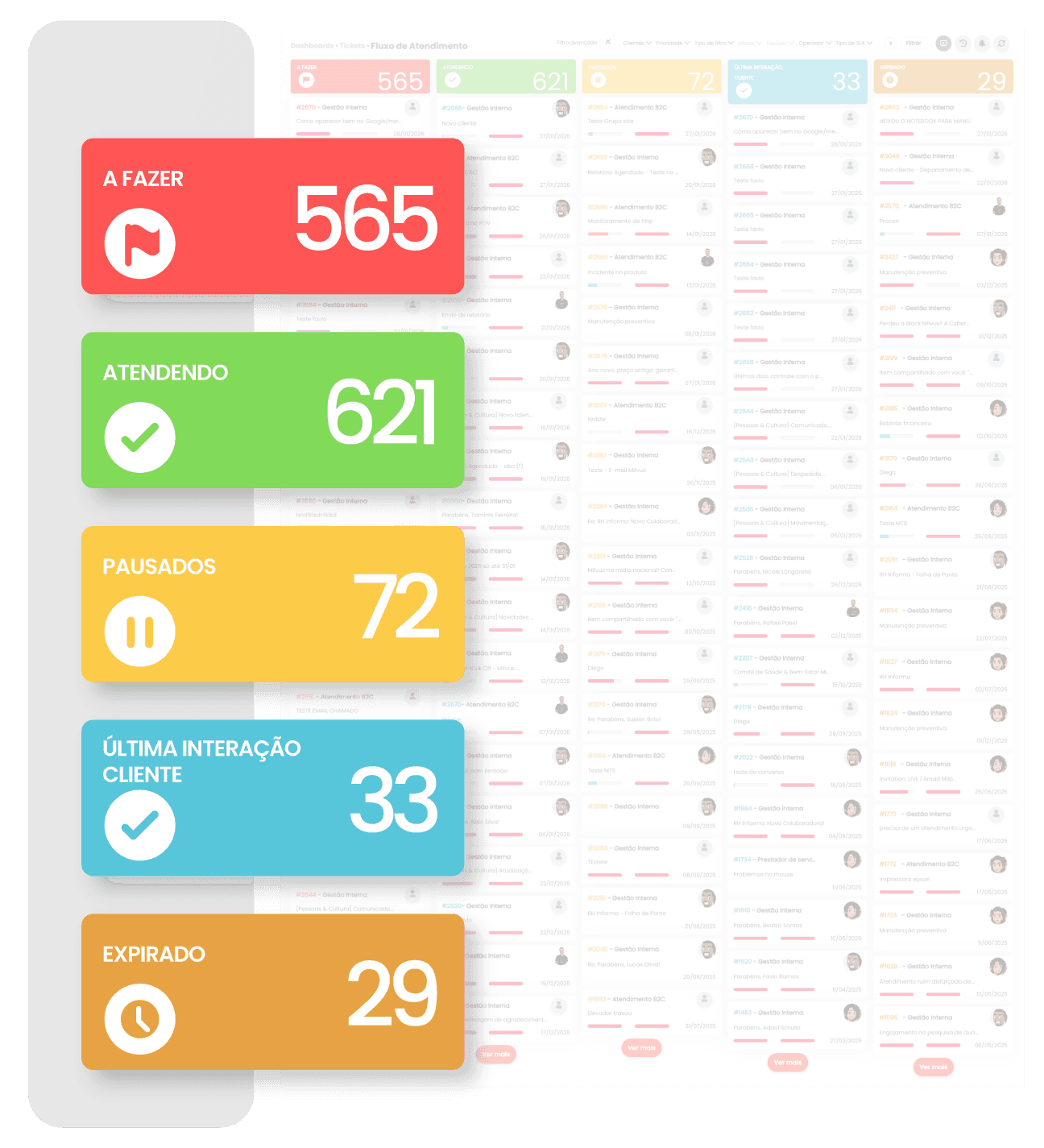
Milvus brings full clarity to ticket flow, showing how requests move through the key service stages. Track volume in to do, in progress, and paused—plus identify tickets awaiting the customer’s last interaction and expired cases. This makes it easy to see where work is stalled and what needs immediate action.
With filters by customer, priority, type, workbench/team, agent, and SLA, you can segment the flow and pinpoint bottlenecks. You’ll know whether the issue is triage, execution, customer dependency, or response time—without wasting time searching manually. The result is faster, more predictable service with less rework.
INVENTORY
Medium
Vulnerabilities that require attention and scheduled remediation before they become an entry point for bigger issues—ideal for continuous improvement routines.
High
Risks with meaningful impact potential that should be prioritized in your action plan—best handled quickly, with tracking for recurrence and progress.
Critical
Highest-urgency issues with elevated risk to security and service continuity—an immediate alert to mobilize and mitigate fast, reducing exposure and impact.
Alerts
Groups inventory issues that require quick action, helping the team address the most urgent items first—ideal for keeping the environment monitored and preventing minor signals from becoming incidents.
No antivirus
Shows assets that are unprotected or have missing/inactive protection, increasing exposure to threats—helps prioritize compliance and reinforce security policies with traceability.
No communication
Identifies devices that stopped reporting, indicating possible downtime, network failure, or an inactive agent—helps restore visibility and keep inventory accurate and up to date.
Monitor everything. Understand everything. Decide with confidence.
Milvus delivers what every support and IT operation needs: full visibility, real-time data, and precise action.
Instead of switching between multiple systems, you centralize everything in one place—with dashboards that show exactly where to act, when to act, and why.
With Milvus, you can:
Monitor 110+ KPIs in real time (SLA, AHT, FRT, NPS, volume by channel, productivity, and more)

Spot bottlenecks before they become problems

Act on reliable data—not guesses
Compare performance across agents, teams, and channels
Prevent SLA breaches with smart alerts
Analyze trends to continuously improve processes
Less guesswork. More strategy.
Stop wasting time building manual reports or trying to make sense of scattered data.
Our platform offers dashboards tailored to your operation—easy to configure, share, and automate, with zero code.
What you can do in just a few clicks:
Create dashboards by team, SLA, customer, device, or channel
Schedule automated report delivery
by email (PDF, Excel, etc.)
Share views with specific access levels
Edit dashboards with a drag-and-drop,
no-code interface
Connect IT and Support in a
unified, strategic view
🚀 Everything you need to turn operations into intelligence—in one place.
FAQ
Find answers to your questions here, and don’t hesitate to reach out if you don’t find what you’re looking for.
Does Milvus meet the needs of my business?
Yes! Milvus was developed to serve businesses of ALL sizes and industries, helping to provide high-quality customer service and support. With flexible solutions, the platform adapts from startups to large enterprises, allowing you to handle higher volumes of requests and scale usage as your operation grows.
What are the benefits of the free trial?
+
Do I need to provide a credit card to start the free trial?
+
What happens after the free trial ends?
+
How does the consultative meeting work?
+
What’s the difference between the free trial and the demo meeting?
+
What are the available payment methods?
+
Is implementation optional?
+
How long does it take to implement Milvus?
+
Can I integrate Milvus with the apps and systems I already use?
+
Can I upgrade or downgrade my subscription?
+
Why choose Milvus?
+
Does Milvus offer technical support? How does it work?
+
Is Milvus secure for storing my data?
+